
By the Maincoms engineering team, Cosham, Portsmouth. Updated 23 October 2026.
In short: Plan a phone system upgrade in six steps: review what you have, decide what the new system must do, check your internet connection and network, plan number porting and call routing, test and train before go-live, then review how it performs. Most call quality problems on a new system trace back to the local network, so check that before anything else.
Whether you are replacing an ageing on-site system or moving to a hosted platform, the work that makes the changeover go smoothly happens before any phones arrive. With analogue and ISDN lines closing on 31 January 2027, many businesses are planning an upgrade for the first time in years.
1. Review your current phone system
List every number your business uses, including direct dial numbers, fax numbers and any numbers that only forward somewhere else. Note how many extensions you have, which teams take which calls, your opening hours and what happens to calls when nobody answers.
Then look beyond the phones. Alarms, lift phones, door entry, franking machines and older card terminals often run on an analogue line, and they are the items most often missed when a business moves to digital. Our 2027 switch-off guide lists what to check.
Finally, write down what isn't working today: missed calls, staff who can't take calls at home, or callers stuck in a menu. Those problems are the brief for the new system.
2. Decide what the new system must do
Separate what you need on day one from what would be useful later. Common essentials are call queues, a menu (IVR), voicemail to email, mobile and desktop apps, and call recording. Call reporting, CRM integration, SMS and WhatsApp can usually be added once the system is running.
Think about the next few years as well: new staff, another site or more people working from home. A hosted system such as Gamma Horizon or Yeastar P-Series Cloud Edition grows by adding users, while a Yeastar appliance on site suits larger buildings and specialist equipment. Our guide to hosted, on-site and hybrid phone systems compares the options.
3. Check your internet connection and network
A hosted system depends on the connection and network it runs over. Each call uses around 100 kbps in each direction, so on full fibre or SoGEA the line itself is rarely the limit. The office network usually is.
Before installing anything, we check:
- Bandwidth and usage: how much the line carries at busy times, not just its headline speed.
- QoS: voice traffic set to take priority over downloads and backups.
- VLANs: phones kept on their own network segment.
- Power over Ethernet: enough capacity on the switches to power every desk phone.
Plan for the line going down, too. A 4G or 5G backup connection keeps calls and card payments working, and calls can divert to mobiles automatically. If you want to reuse your existing handsets, check that the new platform supports them before ordering anything. If Wi-Fi is part of the problem, see Wi-Fi and networking.
4. Plan number porting and call routing
Keeping your numbers means porting them from your current provider. The new provider requests the port. Do not cancel your old service first, as cancelling early can lose the numbers. Allow a few weeks: single numbers usually move quickly, while ISDN number ranges and numbers spread across several providers take longer.
While the port is in progress, map out your call flows. Decide who answers first, where calls go when that person is busy, what callers hear out of hours, and which numbers ring which teams. Agreeing this on paper first makes the set-up quick and avoids surprises on the first morning.
5. Test and train before go-live
Test before your numbers switch over: inbound and outbound calls, transfers, voicemail, the menu, out-of-hours routing, the mobile app and any integrations. A temporary number lets you do this without affecting customers. On larger sites, a few days with one team as a pilot finds problems before everyone relies on the system.
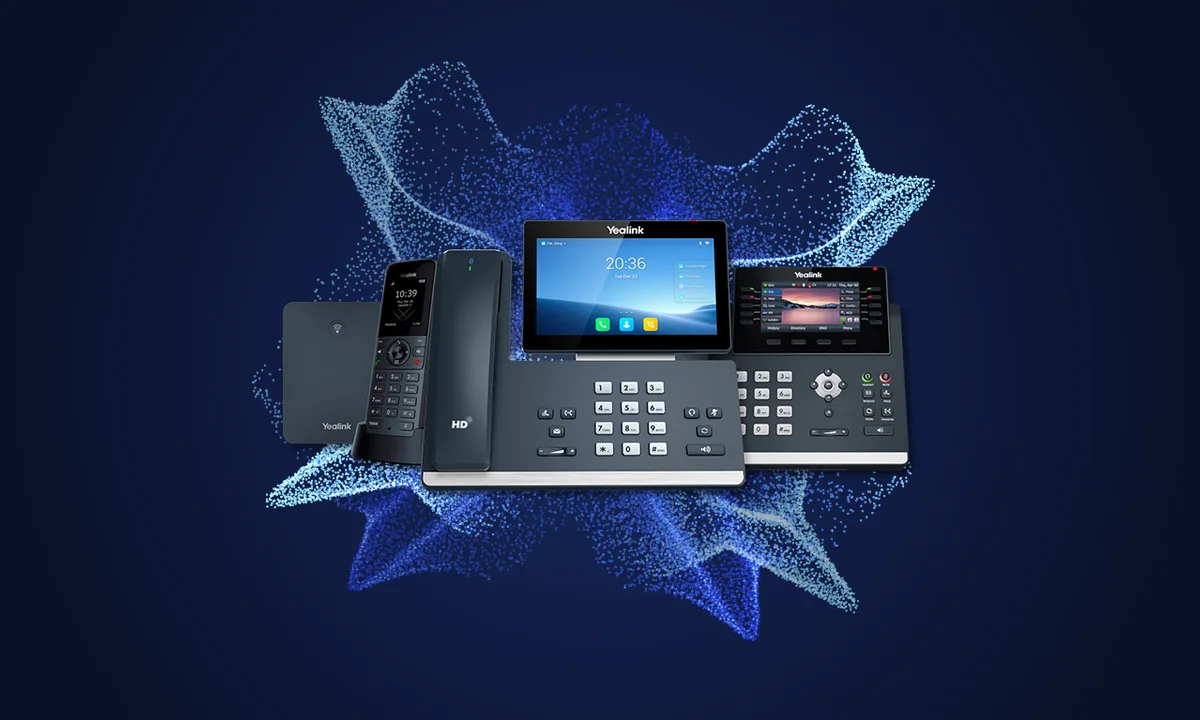
Keep training short and practical. Most people need to answer, transfer, park calls and pick up voicemail; reception and managers need a little more. Our user guides cover the Yealink phones and Linkus apps we supply, with printable quick reference guides.
6. Review how it performs
Check in after the first week and again after a month. Look at missed calls, queue times and call quality, and ask staff what slows them down. Call reports show whether calls are reaching the right people or waiting too long in a queue, and a small change to the routing usually fixes it.
Planning for the next few years
Hosted systems make growth simpler: adding a user, a site or a home worker is a change to the configuration, with no new hardware in the comms cabinet. CRM integration, call analytics and AI features such as call summaries are available on some platforms, depending on the licence and integrations chosen, so check what is included before relying on them. Our article on AI and automation in your phone system covers the practical options.
Ask any provider how they handle security updates and outages, and who supports the system once it is installed.
Planning your upgrade with Maincoms
Our engineers survey your site, check the network and existing lines, then design the system around how your business takes calls. We install, test and document it, train your staff, and support it afterwards. Site surveys for new customers are free. See business phone systems, or speak to an engineer on 0333 358 3000.
Frequently asked questions
How long does a phone system upgrade take?
For a small office the installation itself is usually quick. Number porting and any new lines set the timetable, so start a few weeks before you need the new system.
Can we keep our existing phone numbers?
Yes. Numbers are ported to the new system, so callers dial the same numbers as before. Keep your old service running until the port has completed.
Can we reuse our existing handsets?
Sometimes. Many recent Yealink desk phones work with both Gamma Horizon and Yeastar, but older and analogue handsets usually need replacing. An engineer can check your models during the site survey.
What happens to a hosted phone system if the internet goes down?
Calls can divert automatically to mobiles or another site, and a 4G or 5G backup connection, where fitted, keeps the phones running until the main line is restored.
Do we need to upgrade before the 2027 switch-off?
If your phones, alarm or card machines use analogue or ISDN lines, yes. Those services close on 31 January 2027, so anything still connected to them needs moving to a digital service before then.